The chart settings tab controls the display elements of the chart.
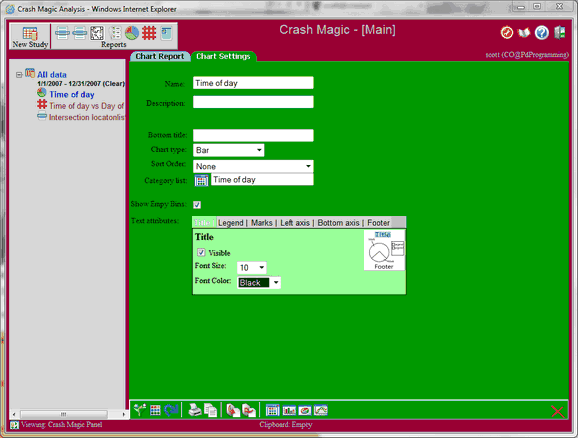
•Name - Name of the chart that will be displayed in the project tree, and as the title of the chart.
•Description - Description of the chart
•Bottom Title - The bottom title is a piece of text that appears at the bottom of the chart.
•Chart Type - Choose from Pie, Bar, Line, Area, and horizontal variants.
•Sort Order - None will show the bins in the order that they are listed in the chart editor. Name will sort the bins A to Z. Count will sort the chart from least to most crashes.
• Category list - Opens the category list selection window for the chart. The category list is the group of bins that will be used by the chart.
•Show Empty Bins - When checked chart bins with 0 crashes will still show up in the key and as a blank item on bar charts. When uncheck these bins will be hidden.
•Text Attributes - Every text property on the chart can be made visible or hidden. They can also have their font size and color adjusted.