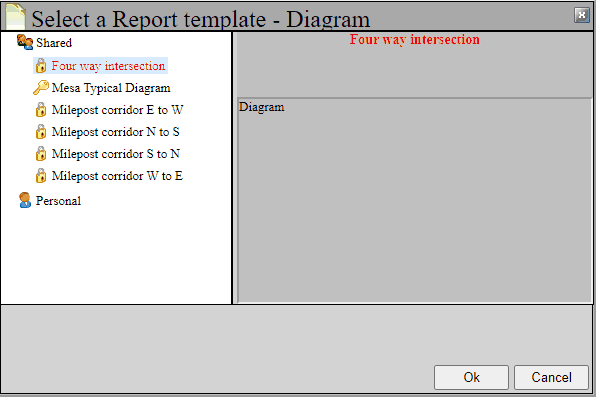
Now let's create a collision diagram. Click on the diagram button  at the top of the project tree. You will be presented with a few of the basic schematics available for diagrams. Choose the Four way intersection option and hit OK.
A collision diagram report will be created and displayed in the main part of the screen.
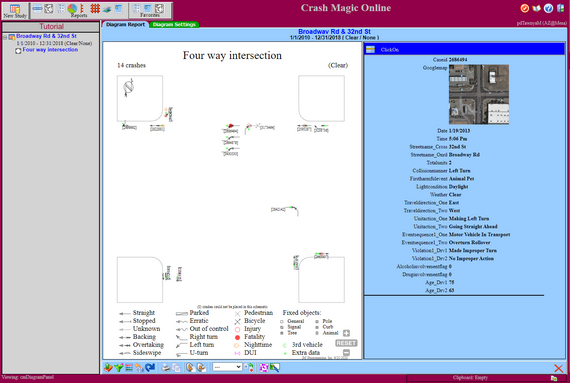
Congratulations! Your first diagram in Crash Magic.
The title is displayed at the top of the diagram. Any filters in use on the study will be displayed under the title. A legend for the crash symbols will be displayed at the bottom of the schematic. The blue section to the right of the diagram will display any detail information that you have selected for crashes that you have selected. More about Click On information later in the tutorial.
There are many options for changing the appearance of a collision diagram and the data in the click-on report. We will cover a sampling of this in the tutorial.
See also: Collision diagrams, Questions about collision diagrams