The export study button  opens the export window to export collision records.
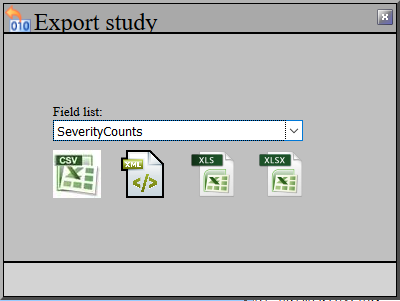
Field List: - Select from the available field list templates in the system. This defines the columns to be exported.
The icons below enable exporting the data as:
•CSV - ASCII comma-delimited. Can be imported into pretty much any spreadsheet/database. Unformatted except that it contains a head row with the field names
•XML - Contains the field names, data types, raw and looked up values.
•XLS and XLSX - Excel spreadsheets in native format. Fields and values are formatted as numbers/text as appropriate. The next manual section describes how an Excel template may be used during the export.
Note: If importing into another system, it is advised that a field list template is created that does not have spaces in the titles, this will make it more likely to be compatible with other systems.