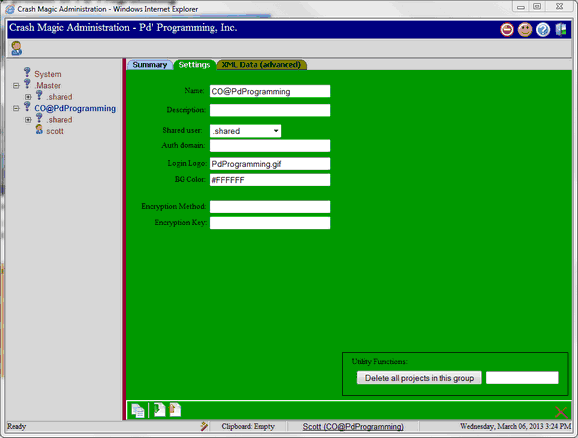
Name - Change the name from User Group to your configuration name. All Crash Magic configuration names start with the State or Province name followed by an @ and the name of the Municipality or DOT with no spaces. Examples CO@Denver, ND@DOT CO@PdProgramming
Description - Set the description of the configuration. Example "City of Denver for crash report DR 2447"
Shared user - This user stores objects for the entire group. It can not be set until the .shared user has been created
Auth domain - Specifies the domain that Crash Magic will using when Active Directory is set under IIS.
Login Logo - Specify the file name of the login log that is displayed on the login page. This file can be a valid jpg or gif image placed in the <Crash Magic Program Data>\Sys\Files\LoginLogos folder.
BG Color - Specify the hexadecimal background color for the login logo image.